Designing an internal operating system for a growing InsurTech company
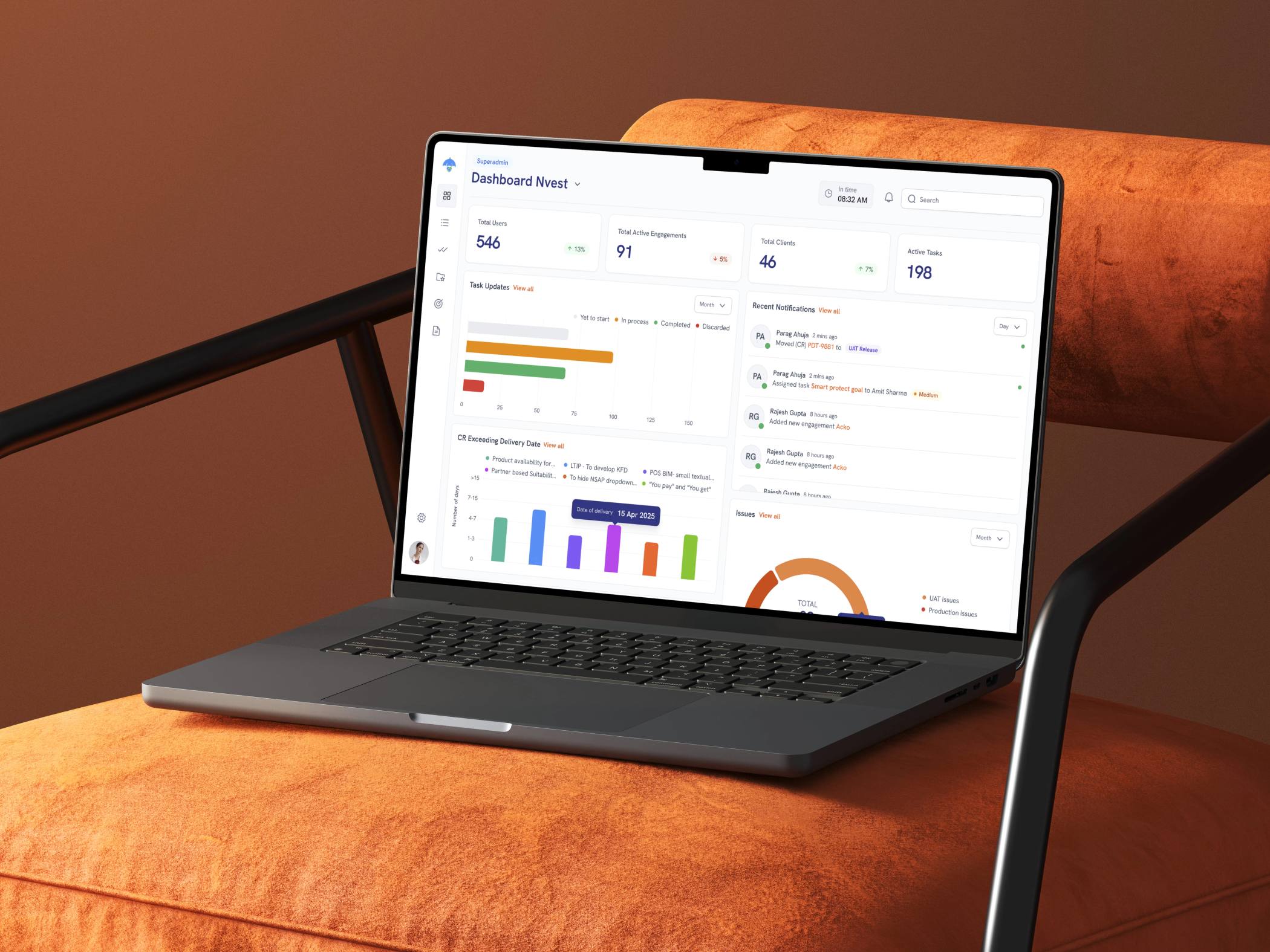
As Nvest grew, managing projects meant coordinating clients, agreements, employees, HR operations and financial activity across multiple processes. I worked on designing a unified internal platform that brought these workflows together, giving employees the tools to manage their work while giving managers and leadership a clearer view of what was happening across the organisation.
My Role
Lead Product Designer
I worked across workflow discovery, information architecture, interaction design and high-fidelity UI, collaborating with stakeholders and cross-functional teams to translate complex internal processes into structured product experiences.
Outcomes
5 Roles designed for
11+ Workflows mapped
6 business functions brought into one platform
At a Glance
The platform was designed as a central operating hub for Nvest. Project teams could onboard clients, create agreements and manage ongoing engagements. HR could manage employees, attendance, leave and policies. Finance could track purchase orders and dues. Leadership could understand activity across the organisation through role-specific dashboards.
The challenge
The real challenge wasn't designing a CRM
It was understanding how an entire company operates. A project could begin with a client and an agreement, involve multiple employees and project managers, generate purchase orders and eventually require financial follow-ups.
At the same time, the platform also needed to support employee onboarding, attendance, leave requests, policies and work activity. These weren't separate products. They were connected parts of the same organization.
Discovery
Turning business processes into product workflows
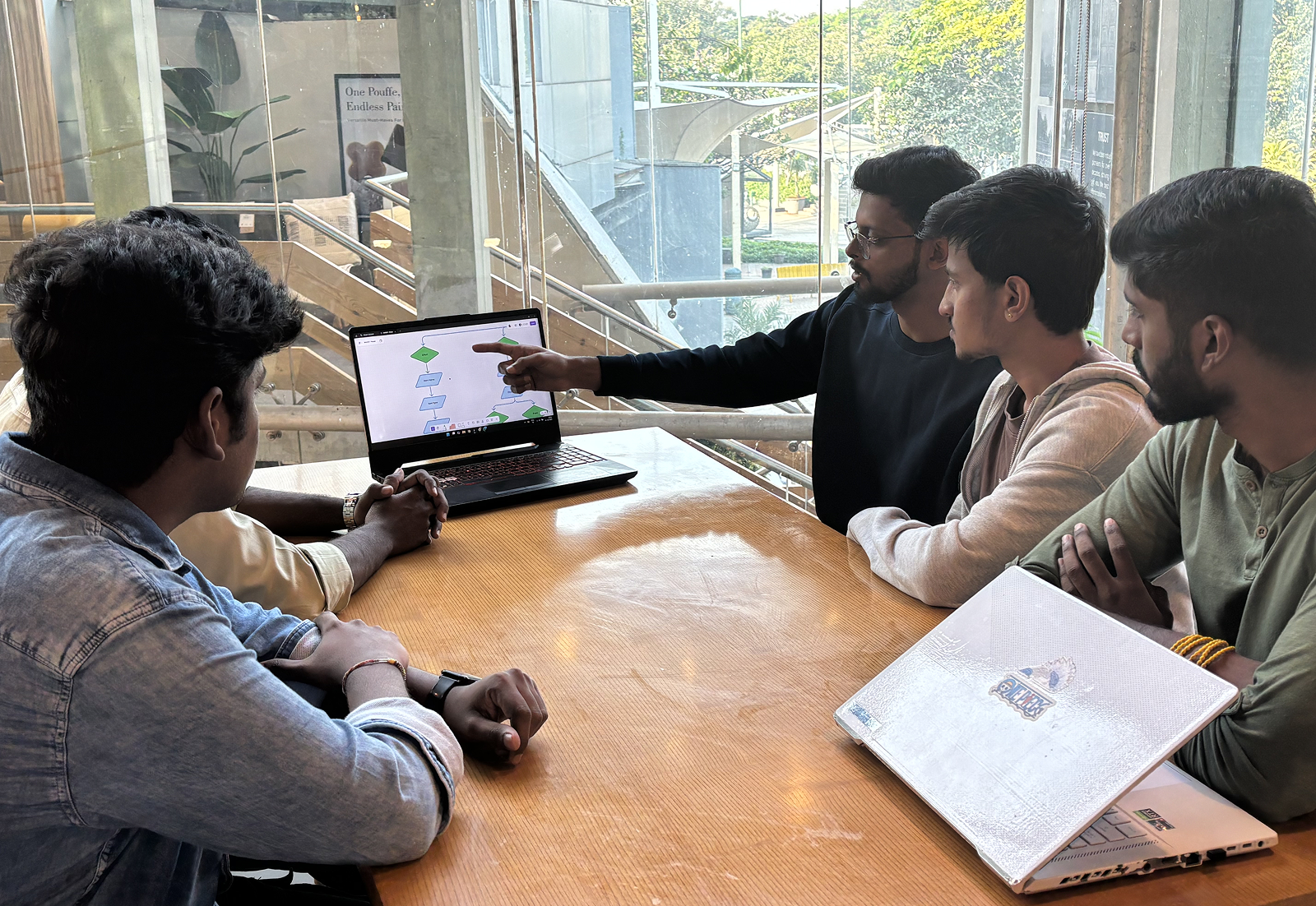
Before jumping into screens, we worked closely with stakeholders and cross-functional teams to understand how Nvest's existing processes worked.
Through multiple brainstorming and workflow-mapping sessions, we broke complex operations into smaller relationships, actions and decision points. Instead of asking:
“What screens does the CRM need?”
we started asking:
“Who is responsible for what, what information do they need, and what happens next?”
Understanding the Users
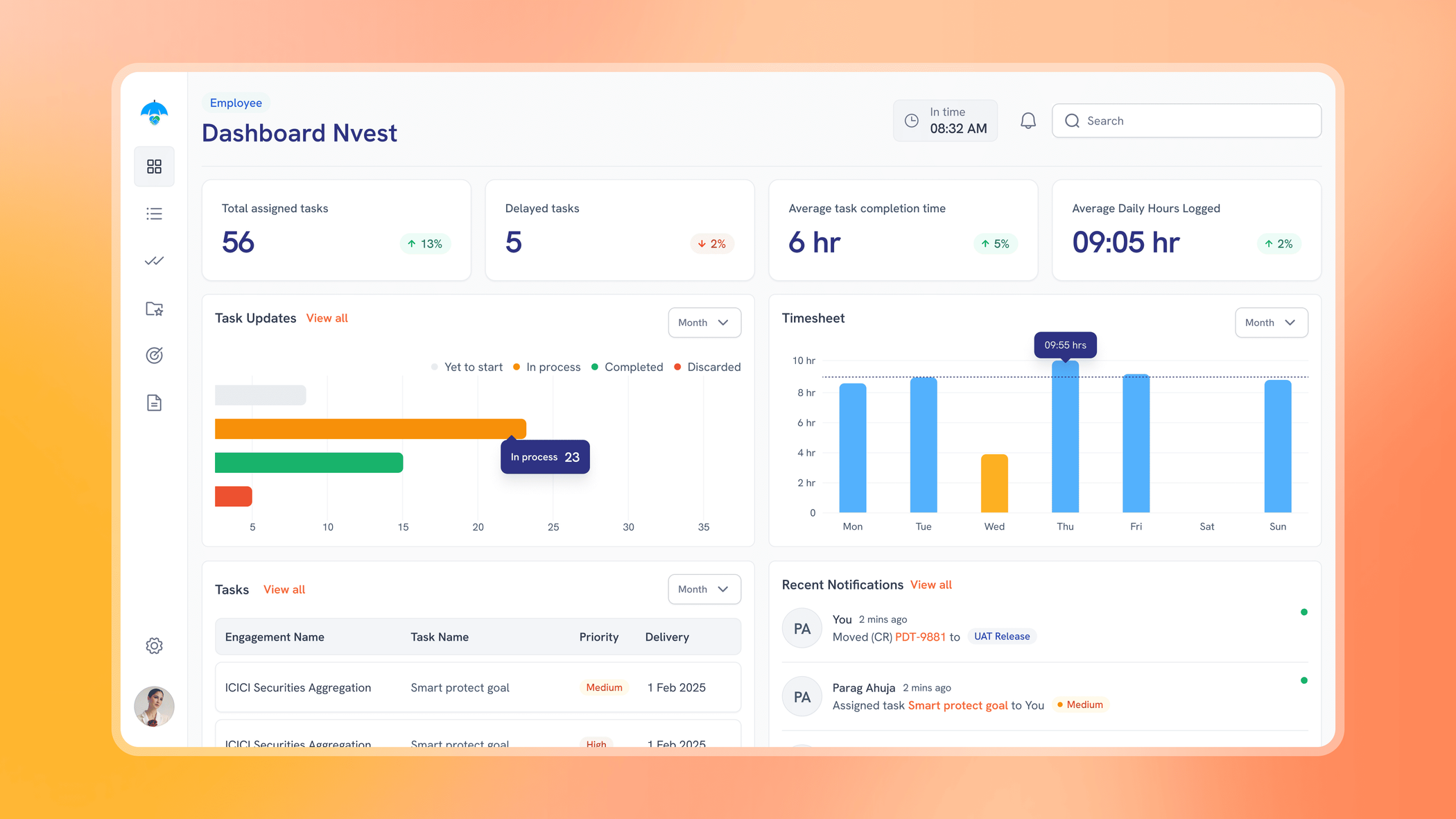
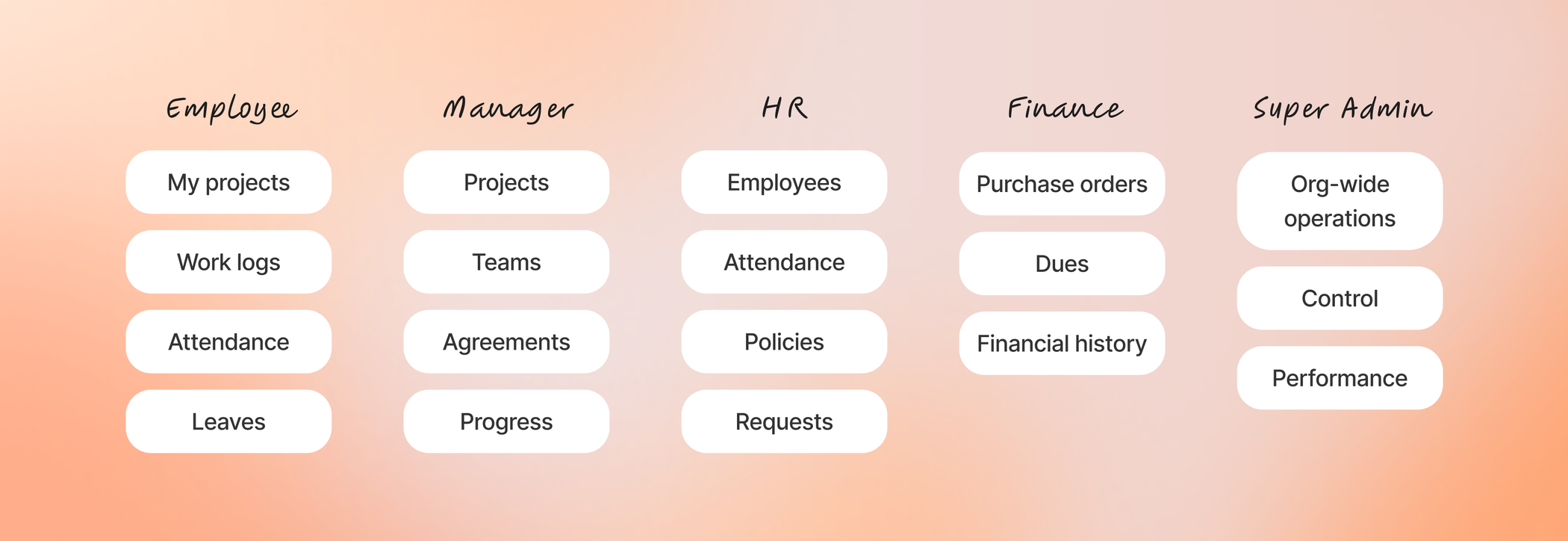
A universal dashboard would have created unnecessary complexity. A project manager needs to understand project status and team activity. An HR professional needs employee information and pending requests. Finance needs visibility into purchase orders and outstanding dues. Leadership needs a high-level view of the company without navigating every operational detail.
That led us toward a role-based product structure.
Product Principles
Make responsibility obvious
Users should immediately understand which projects, employees or requests require their attention.
Keep information connected
Project, employee and financial information shouldn't live in isolated systems when each workflow depends on the others.
Show each role what matters
Instead of exposing every feature to everyone, dashboards and actions should reflect the responsibilities of each user.
Creating the architecture
Once the workflows and roles were clearer, we translated them into the information architecture of the platform. The product needed to accommodate several interconnected areas without making navigation feel overwhelming.

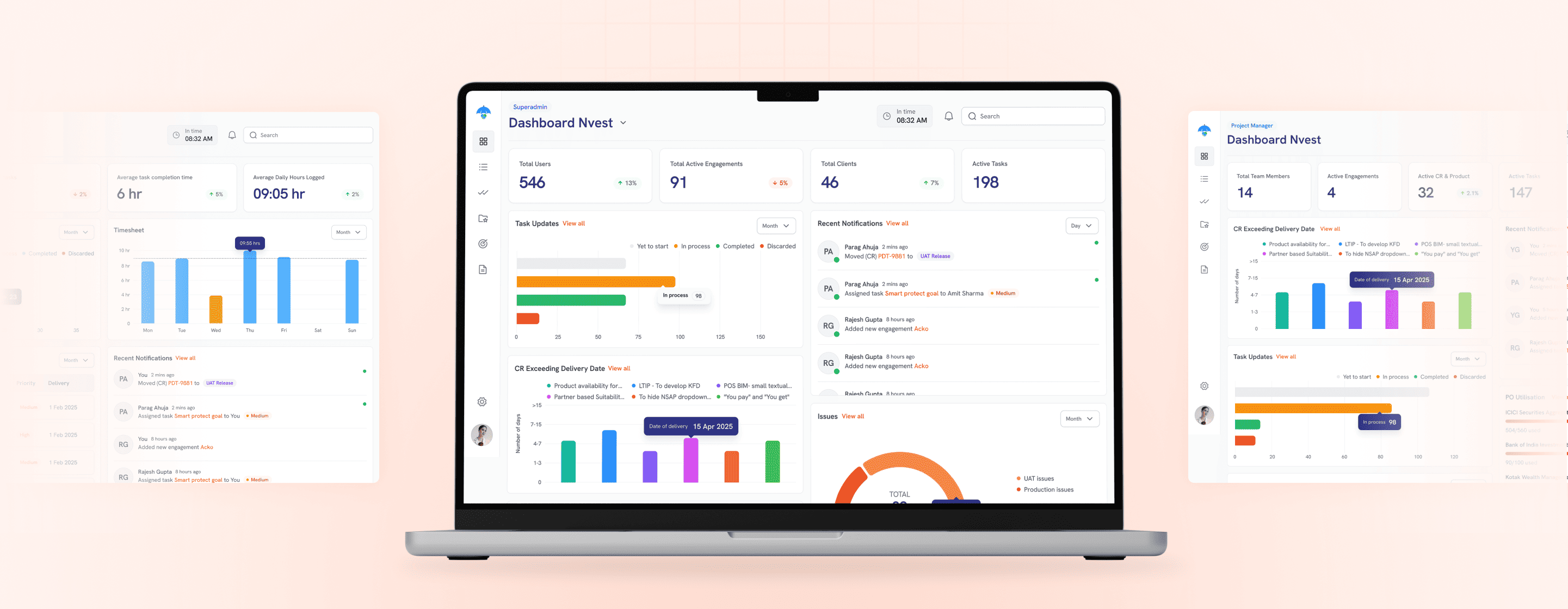
Role-Based Dashboards
The dashboard became the starting point for simplifying the platform. Rather than creating one information-heavy homepage, we designed personalised dashboards around each user's responsibilities.
Project Management
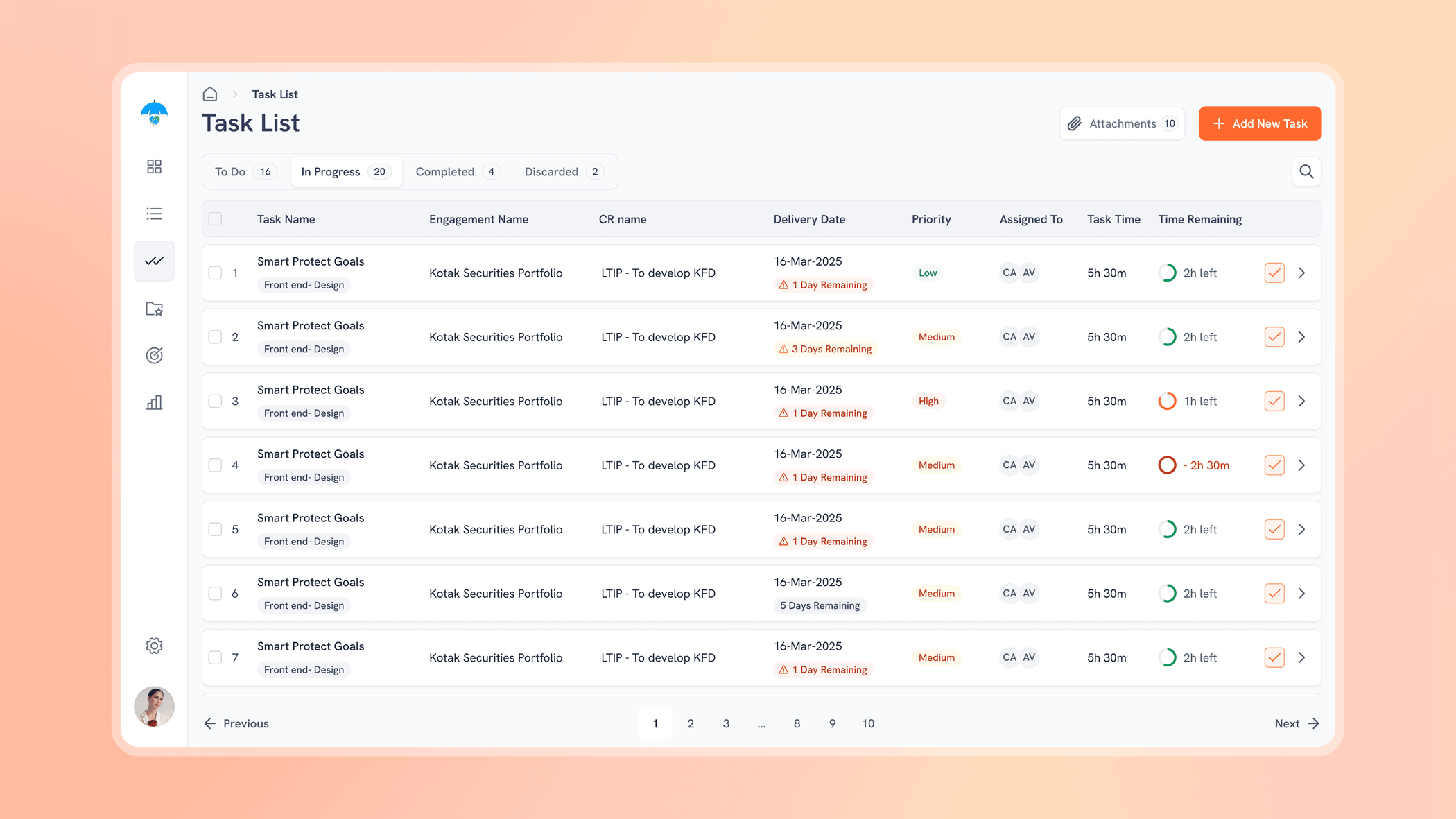
Starting a new engagement involved more than creating a project name. Managers needed to onboard the client, assign owners, define the project's structure, create agreements and configure purchase-order information. Instead of spreading these activities across separate processes, I designed project creation as one connected workflow.

Designing for Change
Scope changes. Employees change. Requirements evolve.
A rigid project setup would quickly become outdated, so managers needed the ability to update the scope of work and move projects through defined stages without losing the original context.
Contextual Collaboration
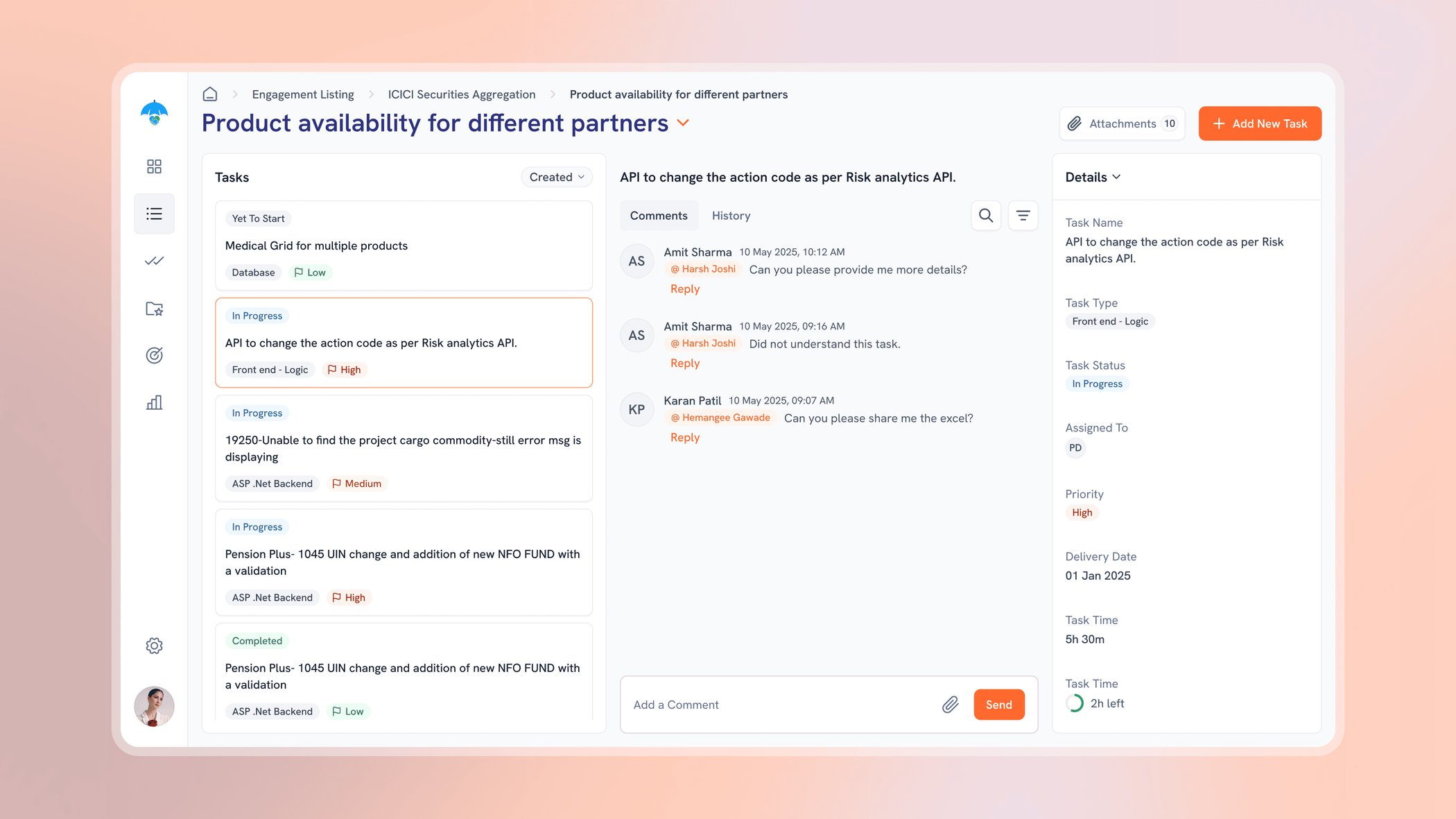
Issues often require communication between several people.
When those conversations move into unrelated communication tools, context gets lost. We introduced communication directly within the project experience so teams could raise and resolve issues alongside the information they were discussing.
HR Operations
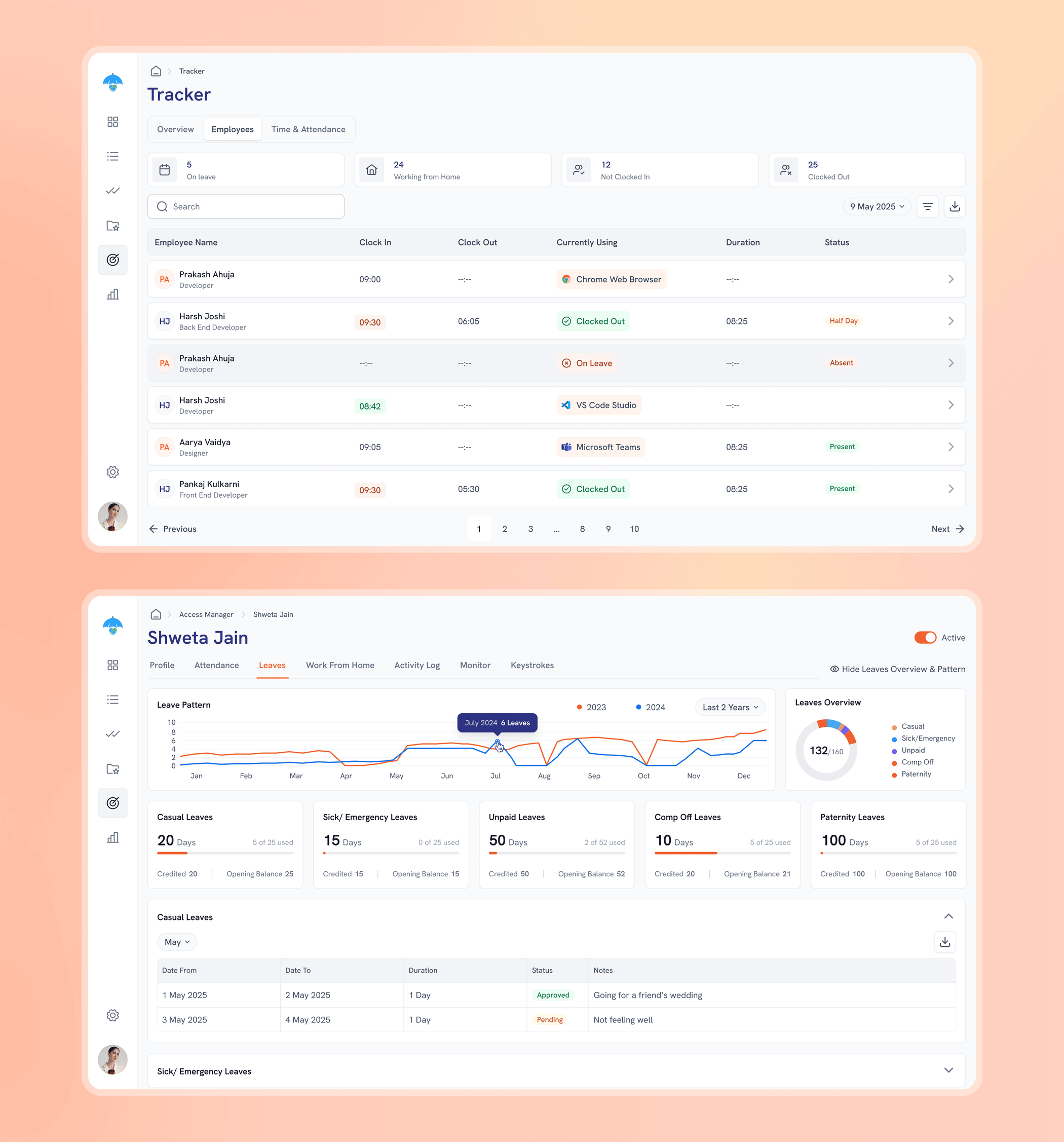
The project evolved beyond project management into a broader internal operations platform. For HR, that meant supporting employees from onboarding through everyday administrative workflows.
HR teams could manage employee profiles, policies, attendance, leave and work-from-home requests from a centralised workspace.
Visibility Without Complexity
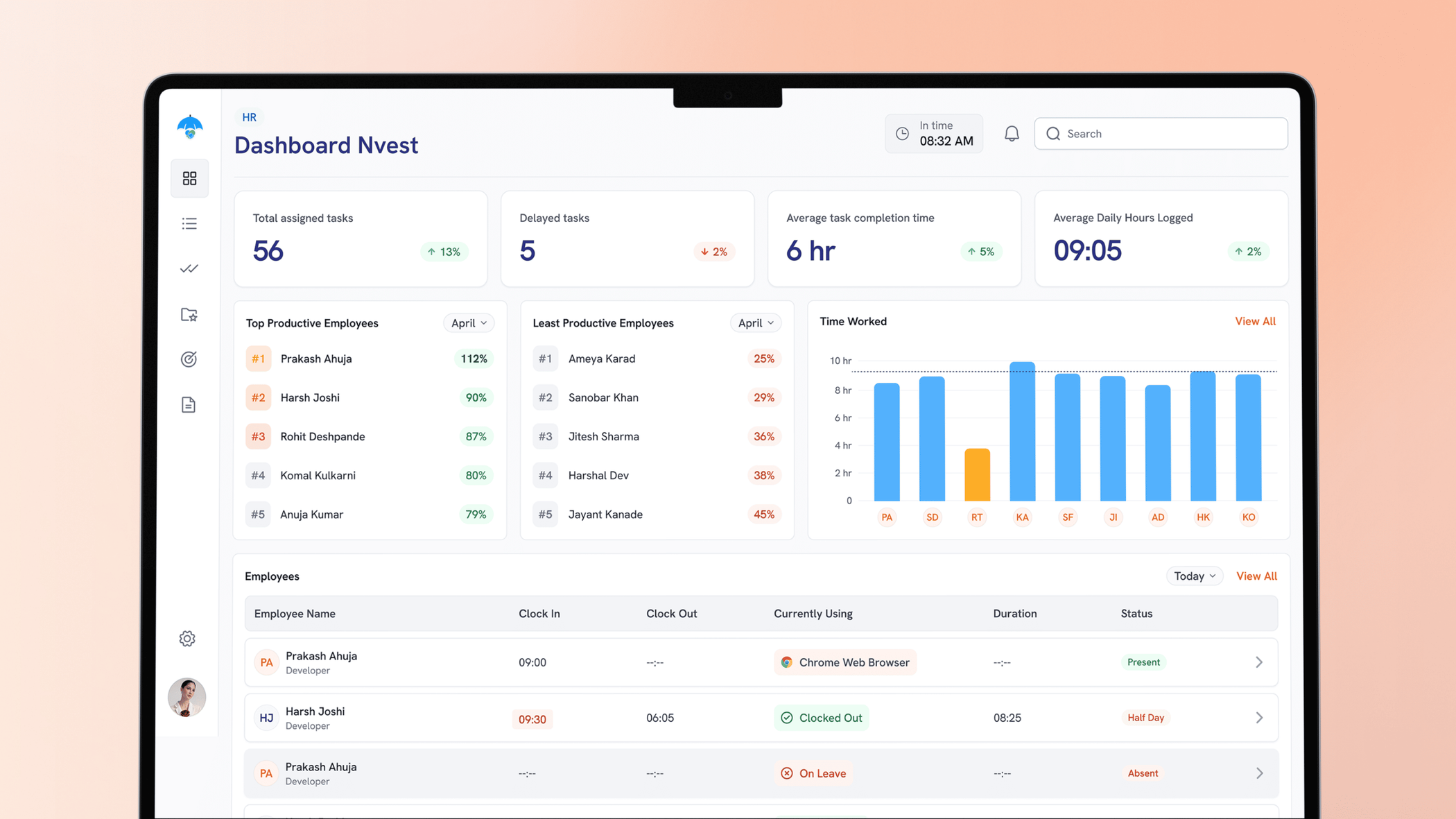
HR needed visibility into attendance, work hours and employee activity without manually consolidating information. We designed overview screens that surfaced important activity and requests while allowing HR to investigate individual employee records when necessary.
Financial operations
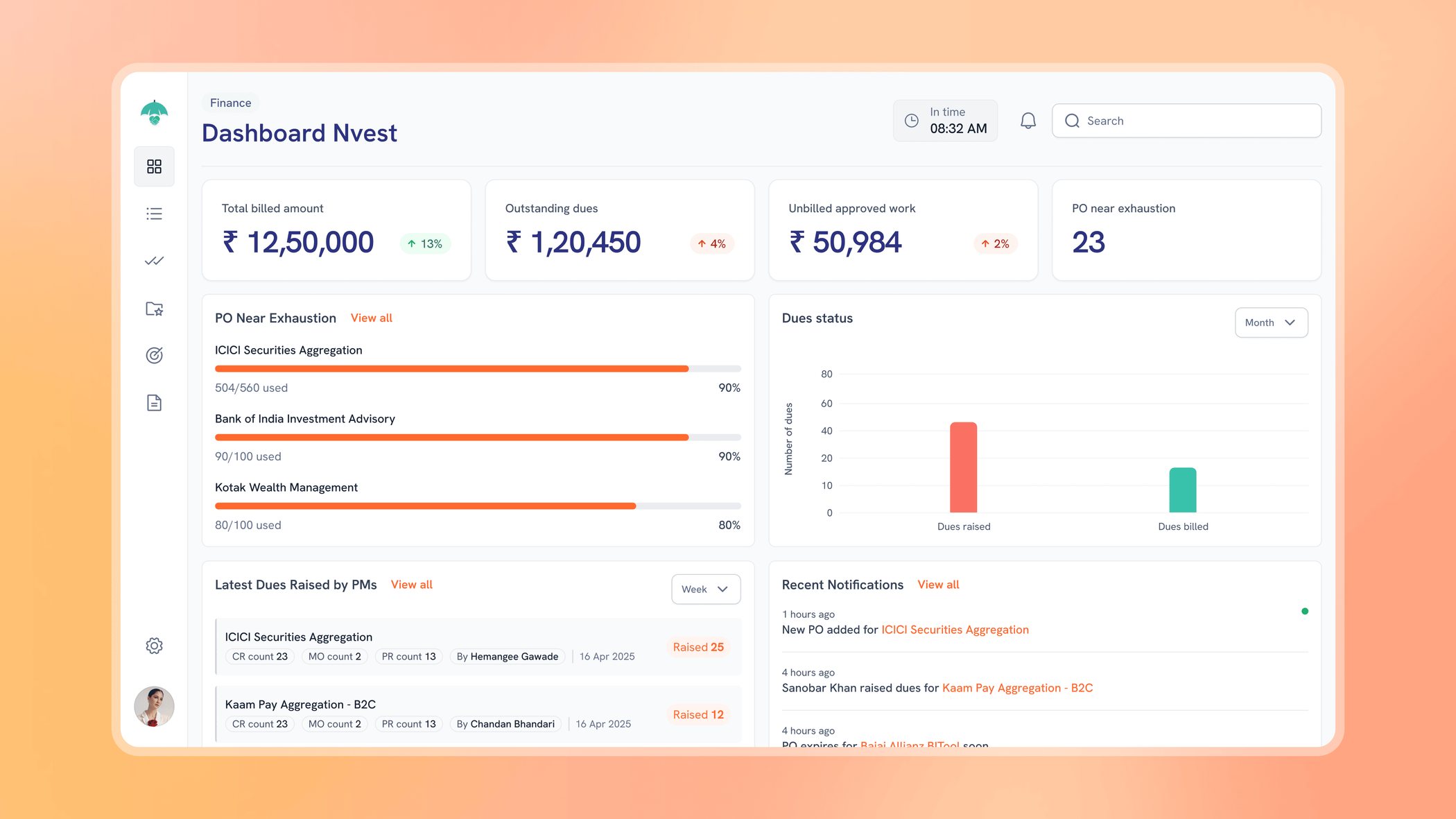
Finance was another workflow that naturally overlapped with project management. Purchase orders belonged to projects. Dues were raised against completed work. Payment information needed to remain traceable over time
Instead of managing these relationships through disconnected records, we brought them into the same product ecosystem.
Designing for Scale
With multiple user types and workflows, inconsistency could quickly make the product difficult to learn.
Reusable patterns became especially important across - Tables, Filters, Statuses, Forms, Approvals, User roles, Navigation, Information cards, Empty states

The Result
The final platform brought several previously fragmented internal workflows into one connected environment. Project managers could manage engagements from onboarding through delivery. HR could manage employees and everyday workforce operations. Finance could connect financial activity directly to projects. Leadership could gain broader visibility without manually consolidating information from separate processes.
Outcomes
Centralised operations
Project, HR and financial workflows could be managed through one platform instead of being treated as isolated processes.
Role-based clarity
Users received experiences tailored to their responsibilities rather than navigating the complexity of the entire organization.
Better project visibility
Managers could understand project structure, ownership, scope and activity from one central location.
Connected financial workflows
Purchase orders and dues remained linked to the projects that generated them, making financial information easier to trace.
Greater organisational visibility
HR and leadership received consolidated views of workforce and operational activity.
What this project taught me
Enterprise UX is mostly about managing complexity
The number of screens wasn't the difficult part. The difficult part was understanding how projects, people, permissions and financial processes interacted, and deciding how much of that complexity each user actually needed to see.
Dashboards should help people make decisions
This project changed how I thought about dashboard design. A dashboard isn't valuable because it contains charts and numbers. It's valuable when it helps someone understand what is happening and what they should do next.
Role-based design requires knowing what to hide
Different users didn't simply need different data. They needed different levels of detail, different actions and different priorities. Designing those experiences taught me that removing irrelevant information can be just as important as adding useful information.
Map the organisation before designing the product
Understanding responsibilities and handoffs early made later interface decisions significantly easier. The clearer the operational model became, the simpler the interface could become.