Turning fragmented CA operations into one connected workspace
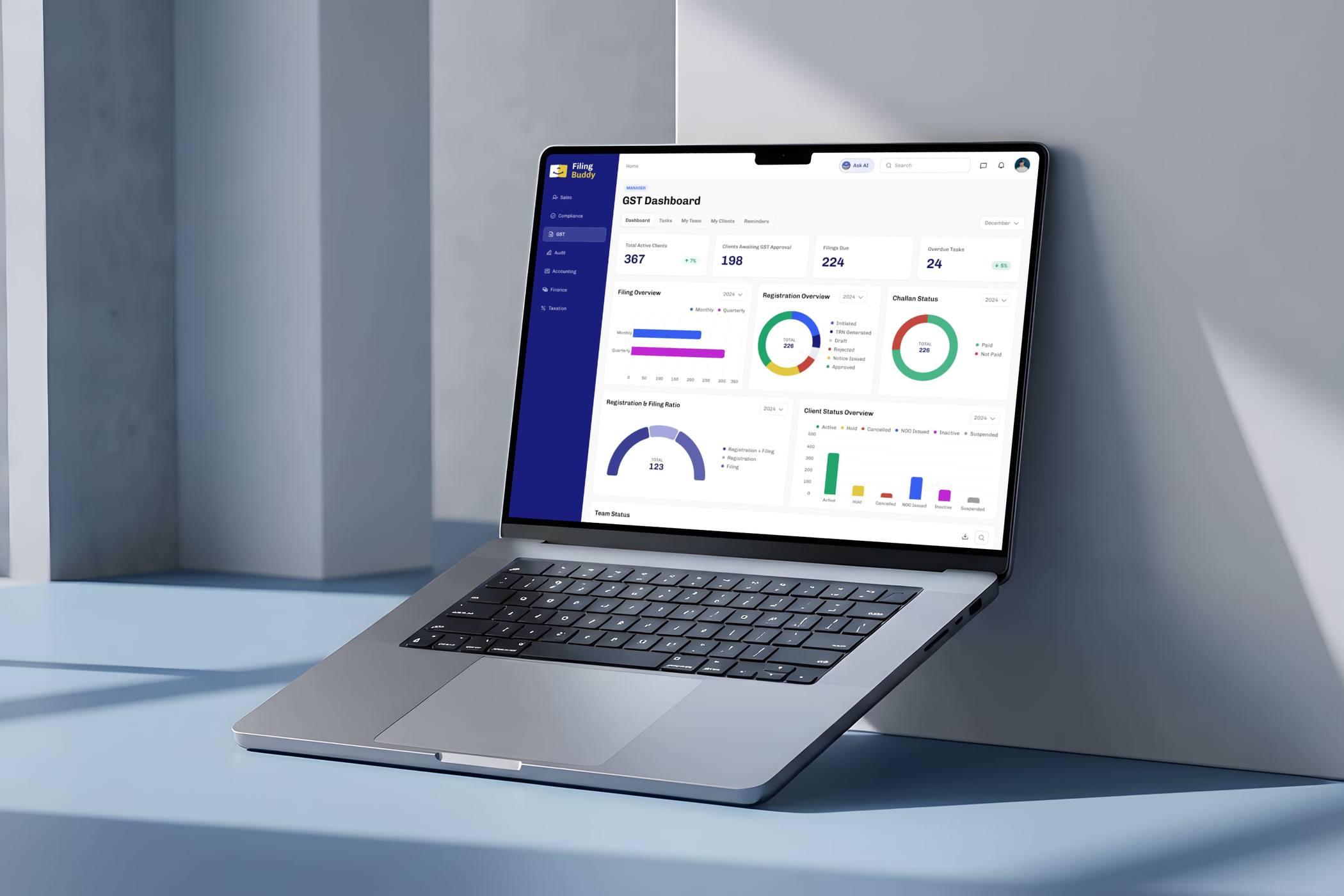
Chartered Accountancy firms were managing clients, tasks, payments and internal operations across disconnected Excel sheets and manual processes. I led the end-to-end product design of Filing Buddy, a role-based SaaS platform that brought these workflows into one system, helping teams understand what needs attention, who owns it and what happens next.
My role
Lead Product Designer
I led the project from workflow discovery and information architecture through interaction design, visual design, usability testing and developer handoff.
Research & Workflow Design
I worked directly with founders and Chartered Accountants to understand service workflows, team structures, dependencies and edge cases, then translated those findings into product requirements and role-specific experiences.
Outcomes
11 Roles designed for
15+ Users tested & interviewed
50+ Spreadsheets replaced
At a Glance
One workspace for an entire CA firm
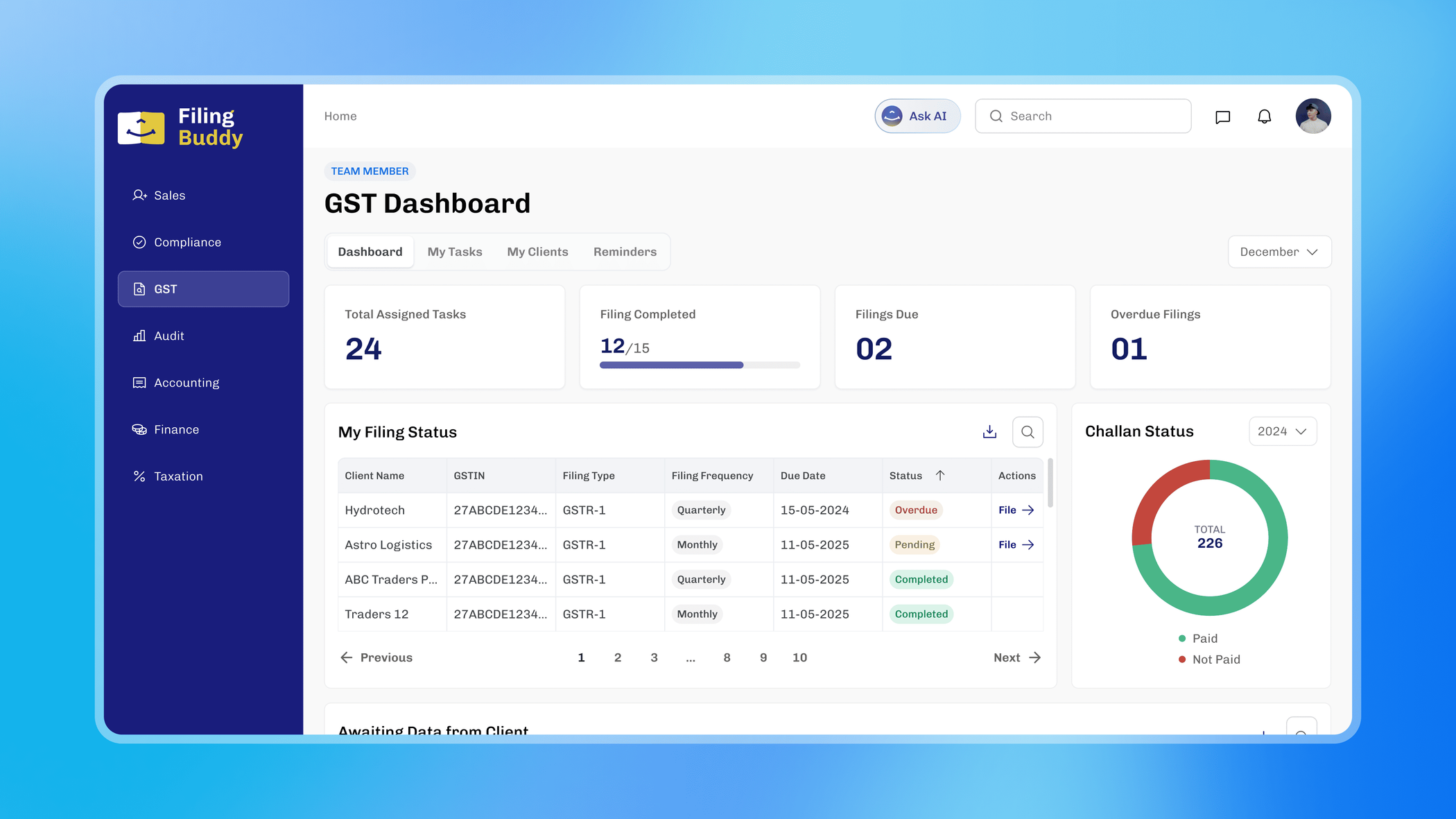
Filing Buddy brings tasks, clients, sales, invoicing and operational oversight into a connected platform while giving each team a workspace tailored to its responsibilities.
Instead of navigating scattered spreadsheets and manually coordinating updates, employees can see what requires attention and move work forward from one place.
Discovery
The firm's operating system was a collection of spreadsheets
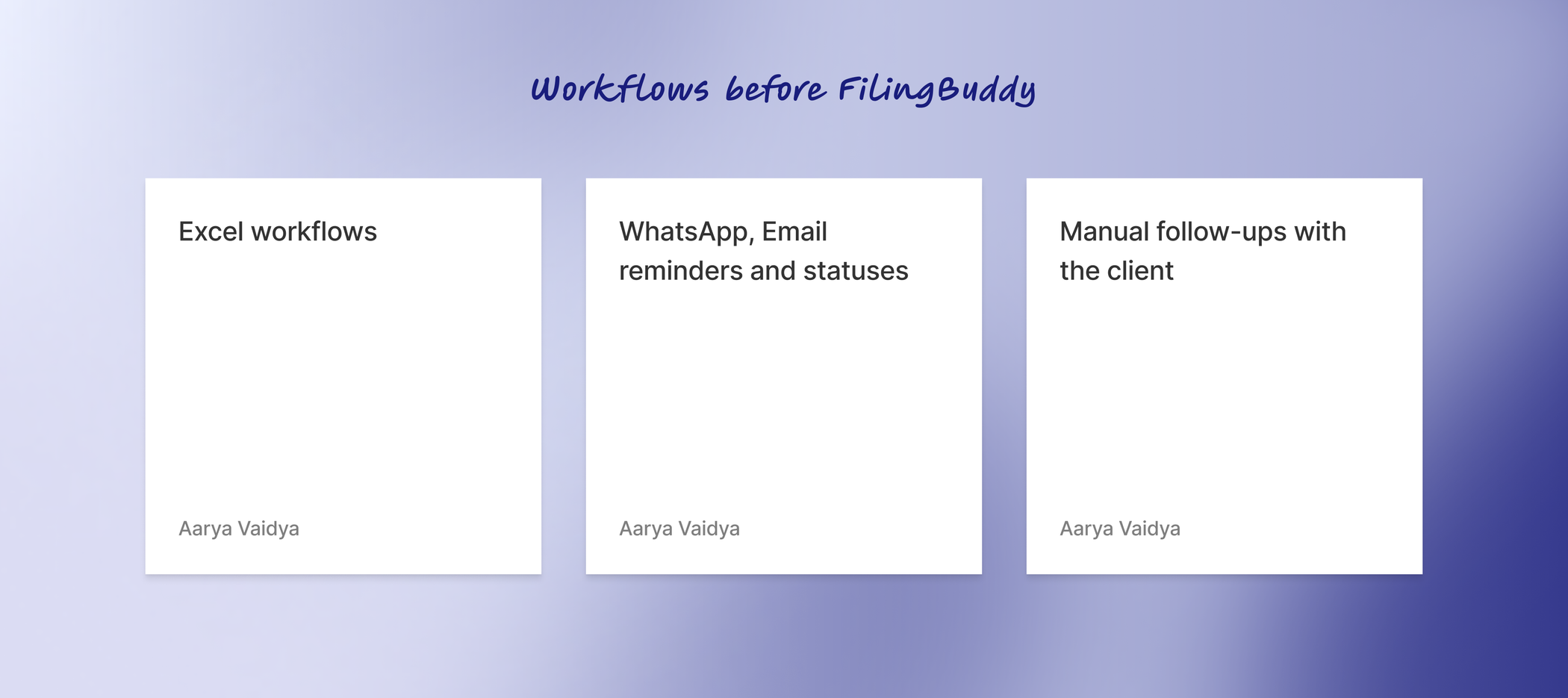
Before Filing Buddy, everyday operations were managed primarily through Excel sheets.
Client information lived across disconnected files. Teams manually checked service progress, followed up on pending requirements and sent client reminders. Managers had limited real-time visibility into what was delayed or blocked.
The challenge wasn't simply replacing Excel.
It was understanding the operating model behind an entire CA firm, and turning it into software.
Understanding how the firm actually works
A single CA service can involve prerequisites, documents, deadlines, employee actions, manager approvals and client communication.
Before designing screens, I facilitated workshops with founders and Chartered Accountants to map these processes from beginning to end.
I documented:
- Service stages and dependencies
- Employee and manager responsibilities
- Required documents and prerequisites
- Approval points
- Client communication
- Exceptions and edge cases
One company, very different jobs
The platform couldn't treat every employee the same.
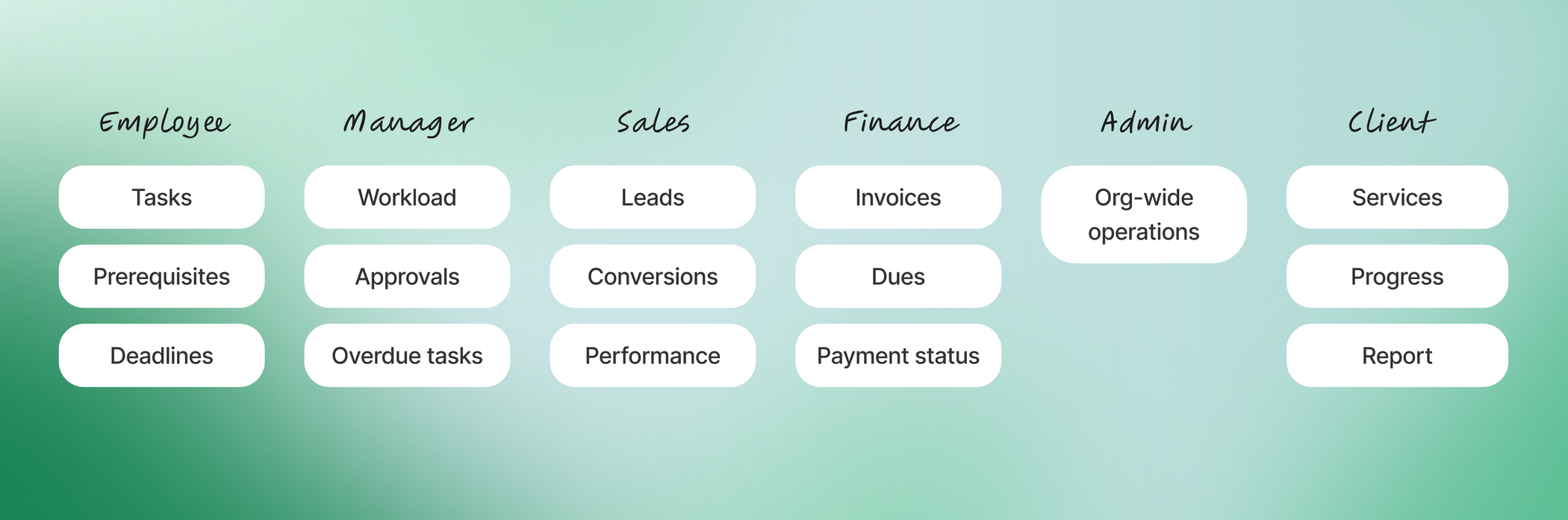
A CA completing assigned work needs different information from a manager monitoring deadlines. Sales teams care about lead conversion. Finance teams care about outstanding payments. Administrators need visibility across the entire organisation.
I mapped responsibilities across roles to answer a simple question:
What does each person need to see and what can we remove?
From Research to Product Principles
01. Show people what needs attention
Important tasks, overdue work and pending approvals should be visible without digging through reports or spreadsheets.
02. Design around responsibilities
Each role should see the information and actions relevant to their work instead of one overloaded dashboard for everyone.
03. Let the system coordinate the workflow
Wherever possible, handoffs, approvals, reminders and status updates should happen through the platform instead of manual follow-ups.
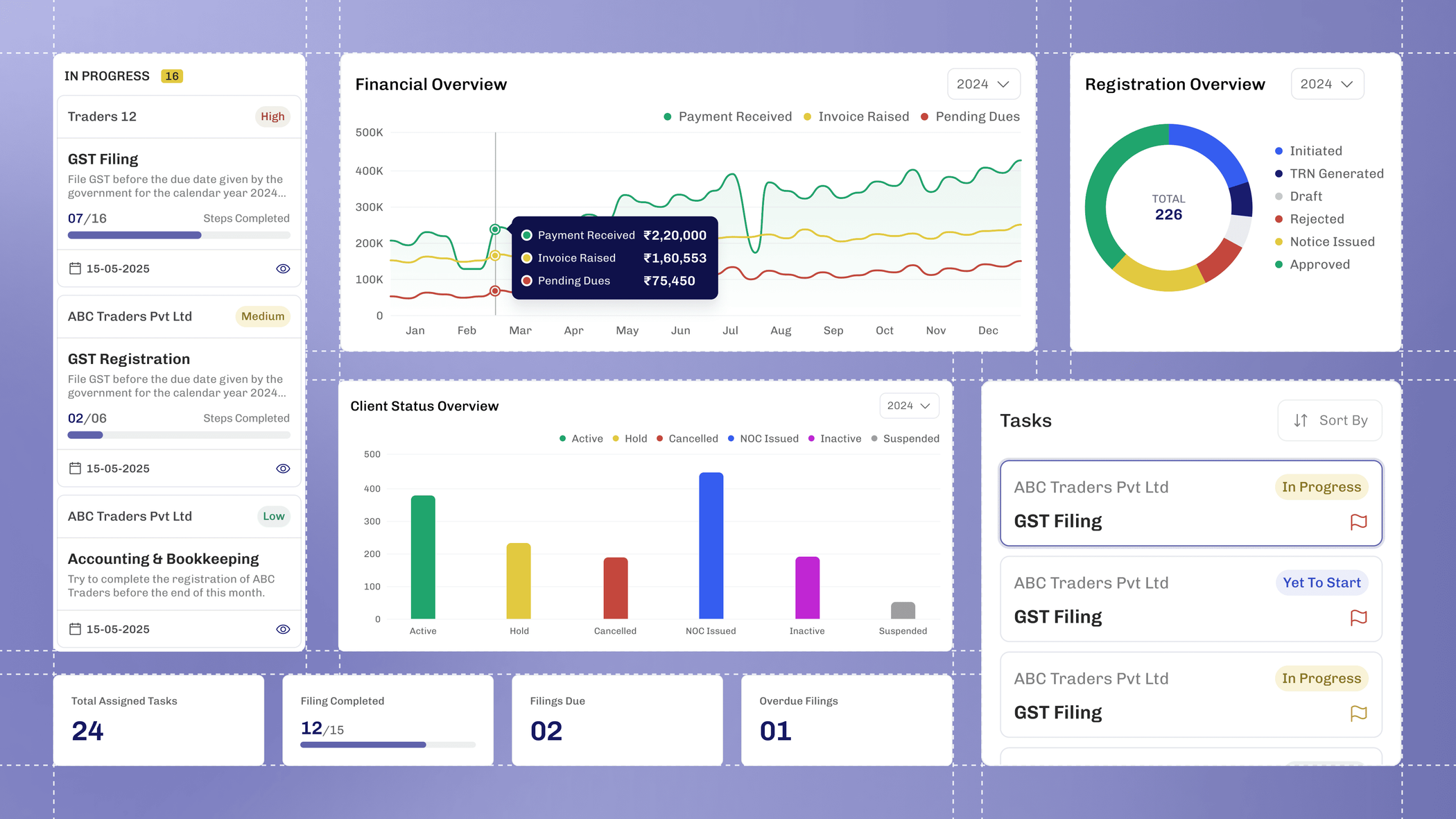
Designing a system, not just a dashboard
With the core workflows mapped, I translated them into the platform's information architecture and reusable interaction patterns.
Rather than designing every module independently, I created shared patterns for:
- Statuses
- Tasks
- Prerequisites
- Approvals
- Notifications
- Tables and filters
- User permissions
- Dashboard widgets
This helped keep a large role-based product predictable as its functionality expanded.
Designing the Core Workflow
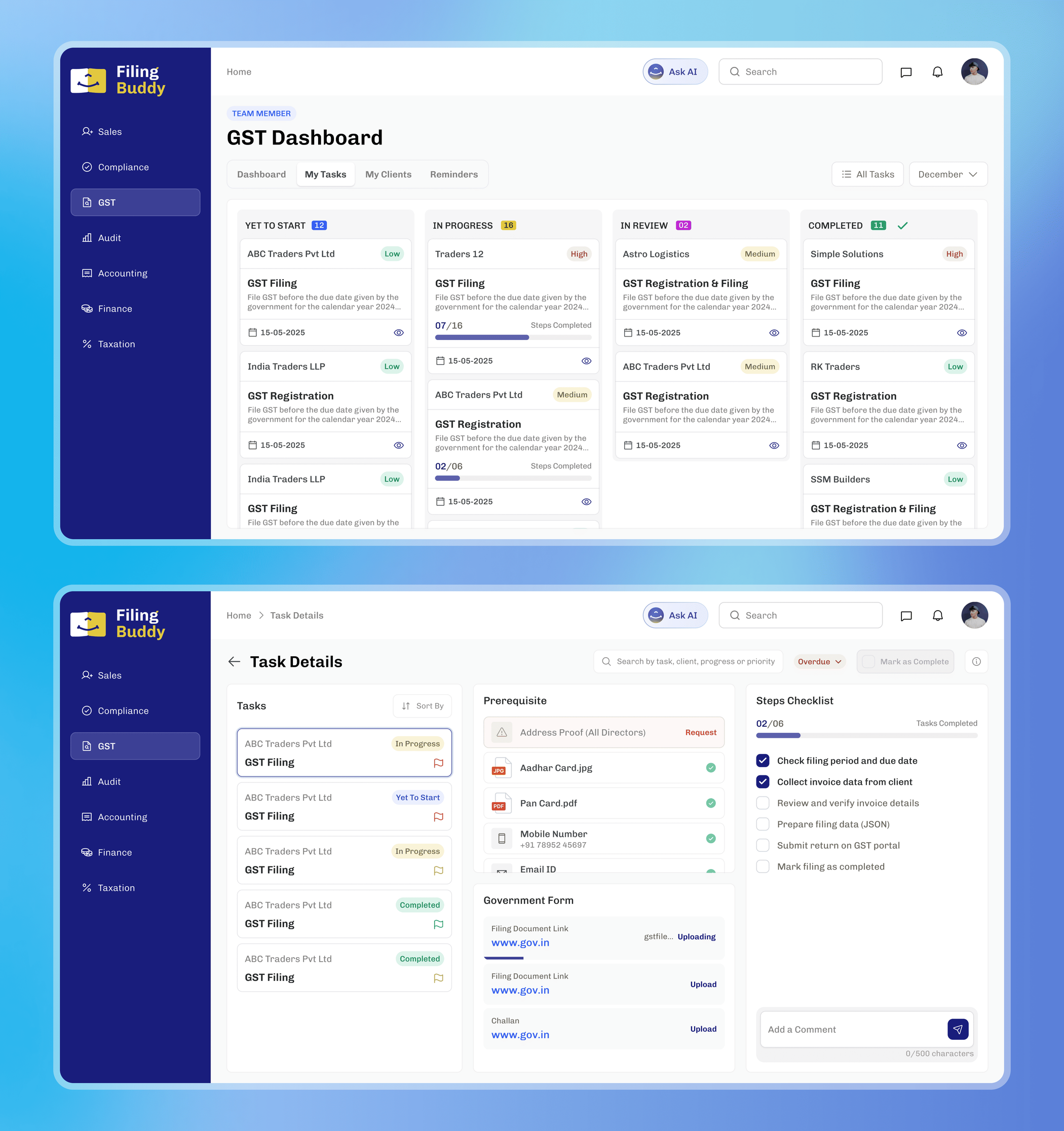
From a task to a guided process
A typical accounting task isn't simply “to-do” or “done.”
Employees may need specific client documents, complete several steps, access government portals and wait for managerial approval before a service can move forward.
I designed tasks as structured workflows containing prerequisites, step-by-step checklists and direct access to relevant forms.
Once the employee completes the work: Employee completes task → Manager reviews → Approval → Client automatically receives an update This turned a process previously coordinated manually into a clear product workflow.
Helping Sales focus on the next opportunity
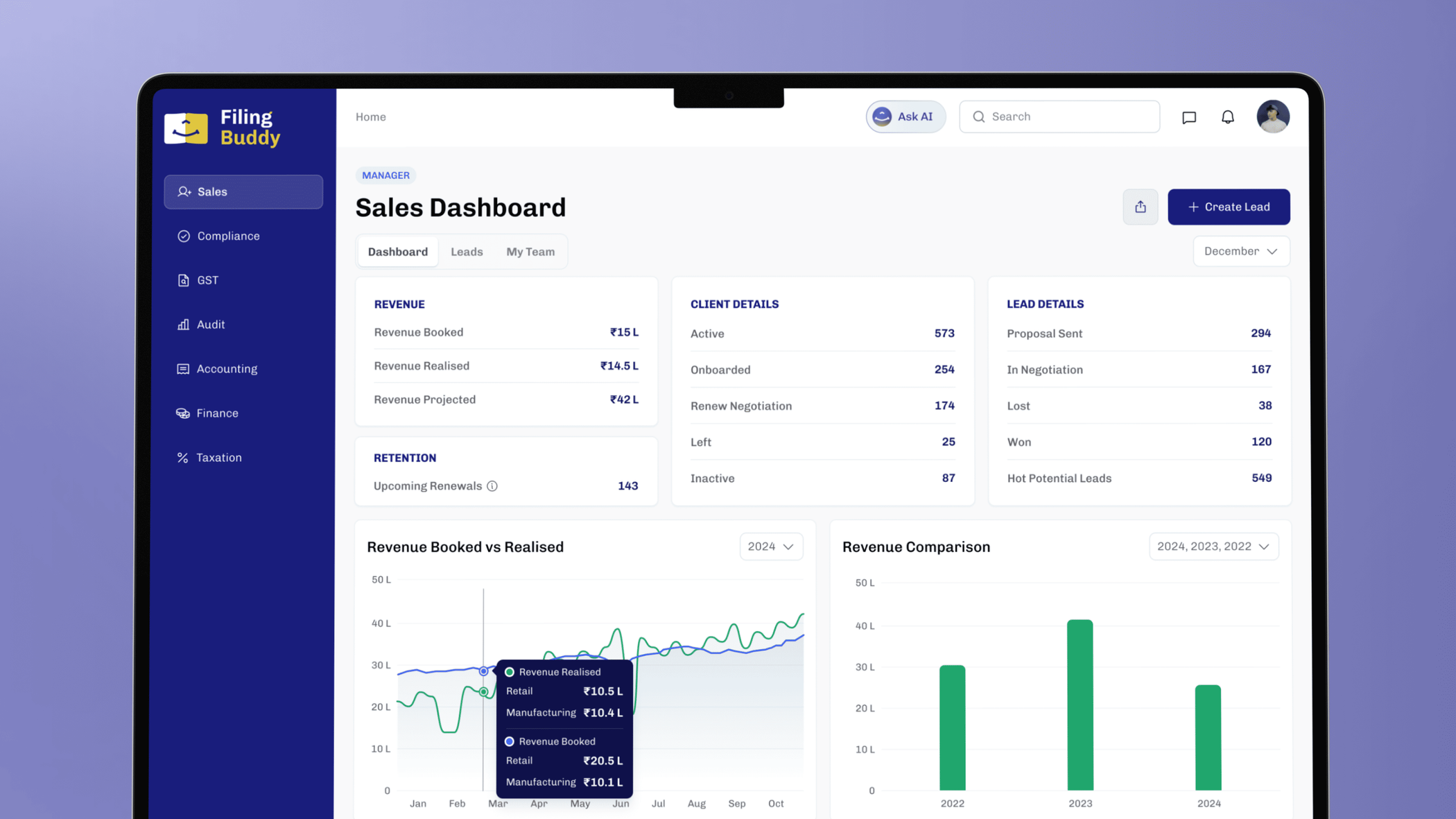
The sales workspace allows teams to create and track leads while prioritizing prospects based on conversion potential.
Managers get a broader view of individual and regional performance, helping them understand where opportunities are coming from and where attention is needed.
Invoicing & Payment Tracking
Instead of reconciling payment information across multiple sheets, the finance workspace centralises invoices, dues and overdue payments.
Teams can create invoices, track payment status and follow up on outstanding amounts from the same system.

Admins can see problems before they become bigger problems
The administrator dashboard provides organization-wide visibility across tasks, prerequisites, overdue activities, employees, clients and support requests.
Rather than manually collecting updates from different teams, administrators can identify delays and operational issues directly from the dashboard.

Clients finally know what's happening
The product isn't only an internal tool. I designed a dedicated client experience that surfaces active services, progress and the team responsible for each engagement.
Clients can also raise support requests and explore additional services without depending on repeated calls or manual status updates.

Validation
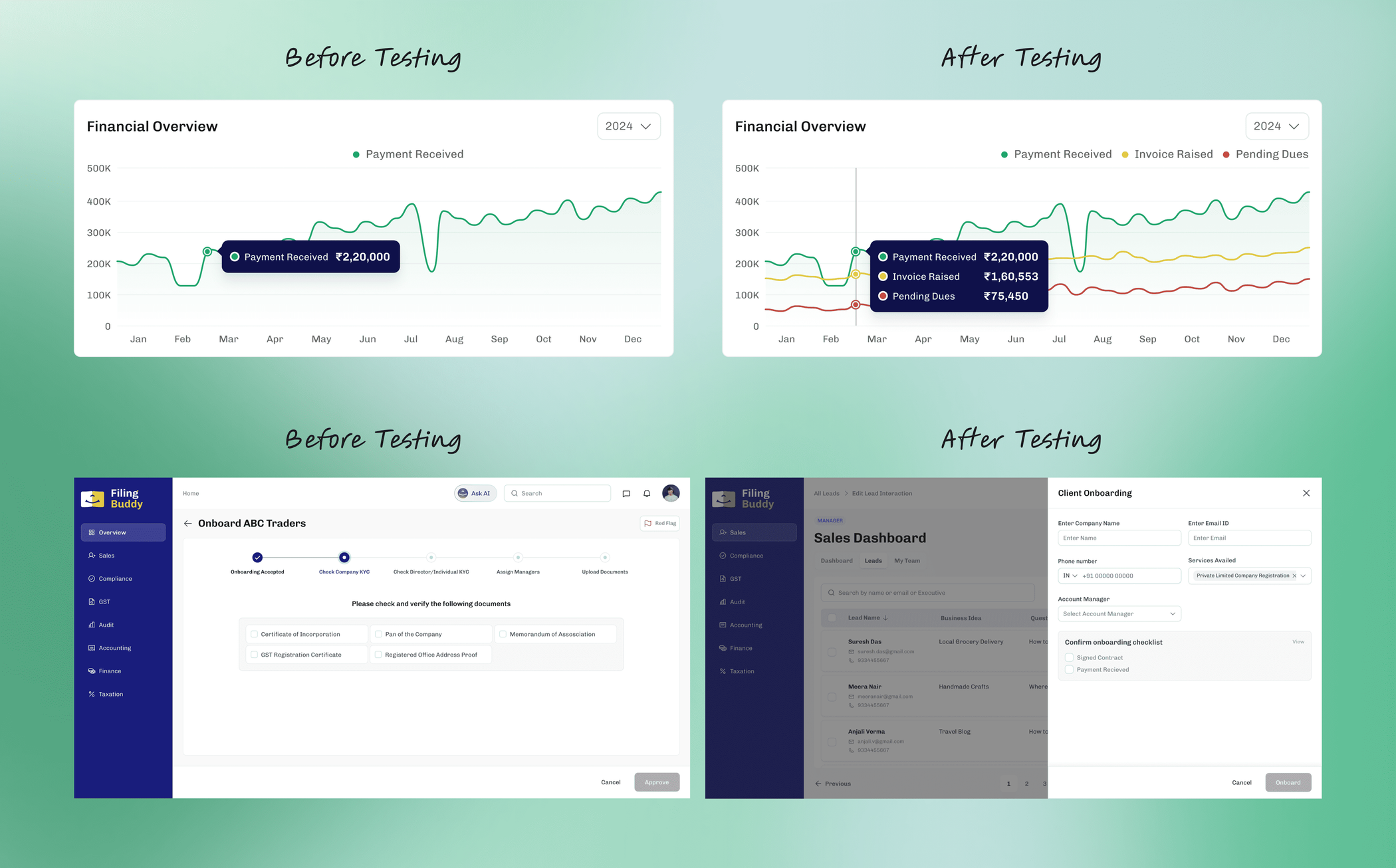
Throughout the project, I tested key workflows with employees, managers and clients.
The goal wasn't only to ask whether the interfaces looked understandable. I wanted to verify whether the product reflected how work was actually performed.
Testing helped refine:
- Information hierarchy
- Dashboard priorities
- Workflow terminology
- Role-specific visibility
- Task progression
- Approval interactions
Outcomes
From fragmented operations to one connected system
Filing Buddy transformed a collection of manual workflows into a structured digital operating system for CA firms.
Centralized operations
Tasks, sales, payments, clients and administrative visibility could live within one connected ecosystem.
Role-based clarity
Each team received an experience designed around its own responsibilities instead of navigating irrelevant information.
Structured handoffs
Prerequisites, task completion, approvals and client communication became parts of one continuous workflow.
Better operational visibility
Managers and administrators could understand progress and identify blockers without manually compiling information from multiple spreadsheets.
What this project taught me
Complex products become manageable when you design the system before the screens
The hardest part of Filing Buddy wasn't creating dashboards. It was understanding the relationships between services, roles, dependencies and handoffs.
Mapping those relationships first made the interface decisions significantly clearer.
Role-based design is also an exercise in subtraction
Designing different dashboards taught me that relevance matters more than information density. A useful dashboard isn't the one showing the most data, it is the one showing the right information at the right moment.
Designing for edge cases early prevents complexity later
Accounting workflows contain dependencies and exceptions that are easy to overlook when designing only for the ideal flow. Working closely with domain experts helped make those cases part of the system rather than afterthoughts.